


"Rich Internet Application" is a phrase most developers under thirty have never typed. It named a real shift, though: the moment the browser stopped being a document viewer and started behaving like an application runtime. That idea didn't die with Flash and Silverlight. It won. Today's single-page apps, progressive web apps, and JavaScript-heavy dashboards are RIAs that shed the plugins and moved the whole model into the open web platform. This piece walks the architecture that survived: how rendering, state, the API boundary, and caching fit together in a modern rich client, plus the harder question of when you actually need one instead of a plain server-rendered page.
Key takeaways:
- The RIA concept, a browser acting as an application runtime with rich, stateful interaction, evolved directly into today's SPAs, PWAs, and component-driven web clients, minus the proprietary plugins.
- A single-page app loads one HTML shell and updates the view with JavaScript, according to MDN Web Docs, which shifts rendering, routing, and much of the app's state onto the client.
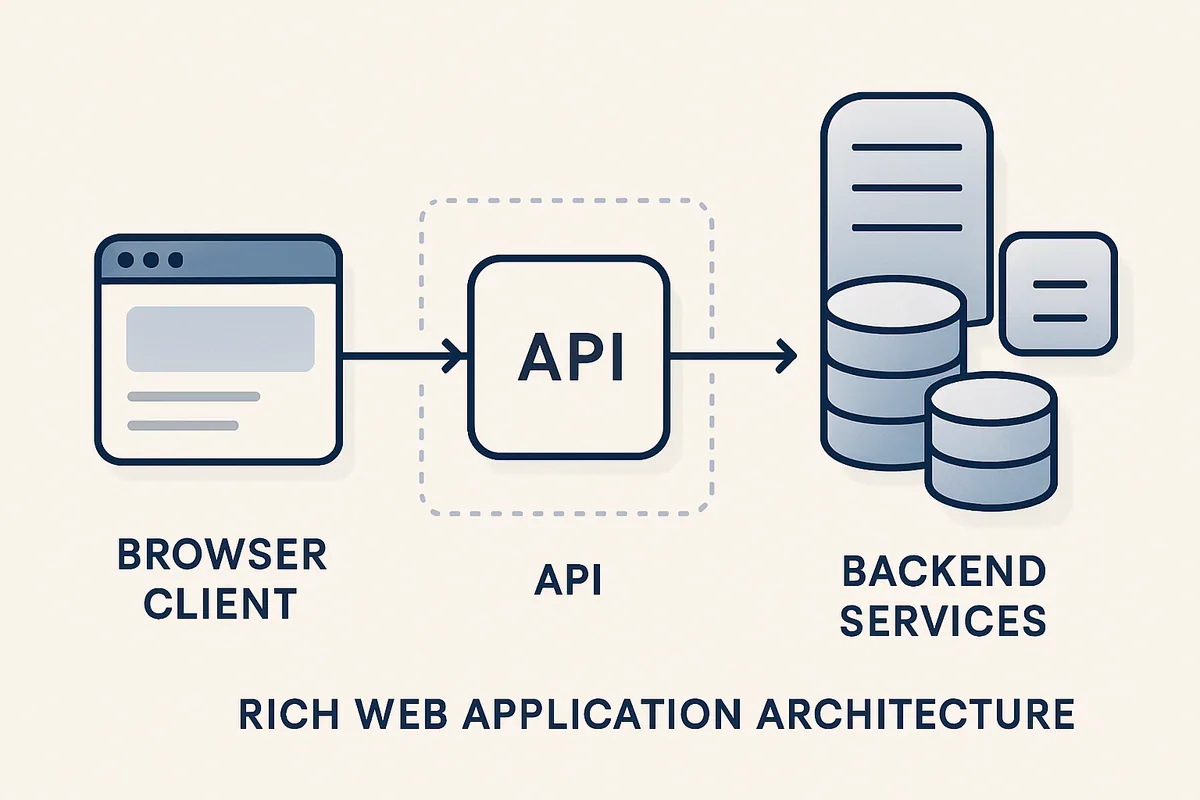
- The API boundary is the real architectural seam: the client owns UI state and the server owns the source of truth, and most rich-client bugs live where those two disagree.
- Offline behavior and caching in modern rich clients run through the Service Worker and Cache APIs, which is what turns an SPA into an installable, network-resilient PWA.
- A heavy rich client earns its cost on interaction-dense, long-session apps; for mostly-static or content-first sites, server rendering is usually simpler, faster to first paint, and easier to maintain.
What "Rich Internet Application" Actually Meant
Rich Internet Application was a mid-2000s label for web apps that felt like desktop software: drag-and-drop, live updates, no full-page reloads. Before AJAX matured, that usually required a plugin runtime such as Flash, Java applets, or Silverlight. The "rich" part meant stateful, interactive, and responsive; the "Internet" part meant it shipped through a browser instead of a CD.
The term carried a trade-off that still shapes decisions. You accepted a heavier client and slower first load in exchange for interactivity plain HTML forms couldn't touch. That's the same bargain teams weigh now when they reach for React or Vue over a server-rendered template. The plugins are gone. The bargain remains.
How RIAs Became SPAs, PWAs, and Modern Rich Clients
The plugin era ended because the open web caught up. XMLHttpRequest, then fetch, let JavaScript talk to servers without reloading. Faster JS engines made large client-side apps viable. The browser became the runtime Flash used to provide, so the plugin turned into dead weight. What replaced RIAs kept the ambition and dropped the lock-in. Three descendants matter:
- Single-page applications (SPAs) load one HTML document and rewrite the view with JavaScript as you navigate. MDN Web Docs describes an SPA as a web app that loads a single page and updates the body content dynamically, so navigation feels instant after the first load.
- Progressive web apps (PWAs) add installability, offline support, and OS-level integration on top of ordinary web tech, using service workers and a manifest. Per MDN, PWAs use progressive enhancement so the same app runs as a normal site in browsers that lack the newer capabilities.
- Modern rich clients (component frameworks, islands architectures, hybrid rendering) mix server and client work per route instead of committing the whole app to one strategy.
The through-line is that "rich" is now the default expectation, and the architecture question is where you put the work.
| Era | Runtime | Delivery | State lives | Main drawback |
|---|---|---|---|---|
| Classic RIA (Flash, Silverlight) | Proprietary plugin | Browser + plugin | Client | Plugin lock-in, no mobile, security holes |
| Early SPA | Browser JS engine | Downloaded JS bundle | Client | Slow first load, weak SEO without extra work |
| PWA | Browser + service worker | Cached shell + API | Client, with offline cache | Complexity, cache invalidation |
| Hybrid / modern rich client | Browser + server rendering | Per-route split | Split client/server | Harder mental model, more tooling |
The Anatomy of a Rich Web Client Today
A modern rich client is four layers that used to be one. There's the view (components that render UI), the client-side state (what the user is doing right now), the data layer (a cache of what the server said, plus the calls to refresh it), and the network boundary to a back-end API. The browser is the runtime. Your framework wires the layers together.
The shift from a classic server-rendered app is that the browser now holds meaningful application state between server round-trips. A traditional PHP or Rails page threw its state away on every navigation and rebuilt the world each request. A rich client keeps a live state tree in memory and only asks the server for data it doesn't have. That's what makes interactions feel instant, and also what makes them harder to reason about: now two machines hold state and they can disagree.
Client-Side Rendering vs Server Rendering
Client-side rendering (CSR) ships a minimal HTML shell plus JavaScript that builds the page in the browser. Server-side rendering (SSR) sends fully-formed HTML that the browser can paint immediately, then optionally "hydrates" it with JavaScript for interactivity. Neither is universally better. They fail in opposite directions: CSR trades a slower, blank first paint for cheap subsequent navigation; SSR trades server cost and complexity for a fast first render and robust SEO.
Most serious rich clients in 2026 don't pick one globally. They render the first view on the server for speed and crawlability, then let the client take over, pushing the decision down to the route or even the component.
| Concern | Client-side rendering (CSR) | Server-side rendering (SSR) | Hybrid |
|---|---|---|---|
| First paint | Slower (JS must load and run) | Fast (HTML arrives ready) | Fast where it matters |
| SEO / crawlability | Needs extra work | Strong by default | Strong |
| Server cost | Low (static shell) | Higher (renders per request) | Medium |
| Interaction after load | Instant | Depends on hydration | Instant |
| Complexity | Moderate | Moderate | Highest |
A quick rule we use at Silicon Prime: if the content must be indexable and fast on first view, render it on the server. If the value is in a long, stateful session after load, invest in the client. Most products are a bit of both, which is why hybrid rendering became the norm rather than a niche.
State Management and the API Boundary
State is where rich clients get genuinely hard. There are really two kinds, and conflating them causes most of the pain. UI state (which tab is open, what's typed in a form, whether a modal is showing) belongs entirely to the client. Server state is the user's actual data, which the client only ever holds as a cache of a truth that lives elsewhere.
Treating server data as if the client owned it is the classic mistake. The client fetches a list, the user edits an item, and the on-screen list goes stale relative to the database. Good rich-client architecture makes that cache explicit: fetch, cache, revalidate, reconcile. Modern data-fetching libraries exist mostly to manage that lifecycle so you don't hand-roll it.
The API boundary is the contract that keeps the two honest. A clean boundary means the client asks for data in well-defined shapes and the server never assumes anything about how the client renders it. When that boundary is fuzzy, with endpoints that return whatever a specific screen happened to need, every UI change drags the back-end along with it. Building that seam well is most of what solid web application development actually involves, and it's where a rich client's long-term maintainability is won or lost.
Where state usually lives
- Local UI state: component-level, ephemeral, never sent to the server.
- Shared app state: user session, theme, permissions, cached across views.
- Server state: the authoritative record, fetched and revalidated, never invented on the client.
- URL state: filters, page numbers, and IDs that belong in the address bar so links and refreshes work.
Offline, Caching, and Progressive Web Apps
Offline capability is the feature that most clearly separates a rich client from a classic web page. It runs on the Service Worker API: a script the browser runs in the background, between your app and the network, that can intercept requests and serve responses from a cache. According to MDN Web Docs, service workers give you a programmable network proxy plus the ability to keep working when the connection drops.
Caching in this model is a deliberate design choice. The Cache API, per MDN, stores request/response pairs that the service worker can serve directly, which is how a PWA shows its shell instantly and survives a flaky connection. Pair that with a web app manifest and you get an installable app that launches from the home screen and starts before the network does.
The hard part isn't turning caching on. It's invalidation: deciding when cached data is stale and how to refresh it without showing the user something wrong. A cache-first strategy is fast but risks serving old data. A network-first one stays fresh but slows down offline. Real apps route different request types through different strategies, and getting that policy right is a design decision. The same care shows up in UI/UX design, because an offline state that lies to the user is worse than one that admits it's offline.
When a Heavy Rich Client Is the Right Call
Reach for a heavy rich client when interaction is the product: dashboards, editors, design tools, trading screens, collaborative apps, anything with a long session and constant state changes. The upfront cost of the client architecture (bundle size, hydration, state, cache invalidation) pays back across thousands of instant interactions the user would otherwise wait on.
A simpler server-rendered app wins when content is the product: marketing sites, blogs, docs, most browse-and-buy e-commerce, anything read far more than manipulated. For those, a rich client adds weight the user experience never recovers. First paint gets slower, the codebase gets harder, and you've bought interactivity nobody needed.
| Signal | Lean rich client | Lean server-rendered |
|---|---|---|
| Session length | Long, task-focused | Short, browse-and-leave |
| Interaction density | High (edits, drag, live updates) | Low (read, occasional form) |
| Offline need | Yes | Rarely |
| SEO priority | Secondary (app behind login) | Primary (public content) |
| Team size / maturity | Can support the tooling | Prefers simplicity |
| Data freshness | Real-time or near it | Page-at-a-time is fine |
Honestly, the most common mistake we see isn't choosing wrong between the two extremes. It's defaulting to a full SPA for a content site out of habit, then spending months adding server rendering back to fix the performance and SEO the SPA gave away. Start from the workload. Let the architecture follow.
Frequently asked questions
As a job title, no; almost nobody says "RIA" anymore. As a concept, it is more relevant than ever, because the idea it named, a browser running a rich, stateful application instead of showing static documents, is now the default. Today that idea ships as SPAs and PWAs. MDN Web Docs describes a single-page app as one that loads a single page and updates content dynamically, which is the RIA promise delivered on the open web platform instead of a proprietary plugin.
An SPA is about navigation, and a PWA is about capabilities. An SPA loads one HTML page and rewrites the view with JavaScript so moving around feels instant, as MDN Web Docs defines it. A PWA layers installability, offline support, and OS integration onto a normal web app using service workers and a manifest. The two overlap constantly, and many PWAs are SPAs, but SPA answers "how does navigation work" while PWA answers "what can this app do beyond a browser tab."
They can, if you rely purely on client-side rendering, because a crawler may see an empty shell before the JavaScript runs, and slow first paint costs real traffic: Google's mobile-speed research found 53% of mobile visits are abandoned when a page takes longer than three seconds to load ([Google, 2016](https://support.google.com/adsense/answer/7450973)). The fix is rendering or pre-rendering the initial view on the server so crawlers and users both get real HTML. Public, content-heavy pages should render server-side; app screens behind a login usually don't need to.
Start from the workload, not the framework. Microsoft's architecture guidance says to use a traditional server-rendered app when client-side needs are simple or read-only and the app benefits from search discovery, and a SPA when the app must expose a rich, feature-dense UI, your team knows JavaScript/TypeScript, or you already run an API ([Microsoft, 2023](https://learn.microsoft.com/en-us/dotnet/architecture/modern-web-apps-azure/choose-between-traditional-web-and-single-page-apps)). If the value lives in a long, interaction-dense session, invest in the client; if content is read far more than it is manipulated, render on the server. Most real products are a hybrid, split per route.
Because the rich-client bargain, heavier client for richer interaction, gets accepted by default rather than on purpose, and the bill arrives later. Microsoft notes that SPA frameworks "require greater architectural and security expertise" and churn more from frequent framework updates than traditional apps ([Microsoft, 2023](https://learn.microsoft.com/en-us/dotnet/architecture/modern-web-apps-azure/choose-between-traditional-web-and-single-page-apps)). Bundle bloat compounds it: across 300,000 production domains, median JavaScript payload crosses 1 MB at the halfway mark ([Catch Metrics, 2025](https://www.catchmetrics.io/blog/nextjs-bundle-sizes-insights-from-300000-domains)). The common failure is defaulting to a full SPA for a content site, then spending months adding server rendering back.
There is no flat price; cost and timeline scale with a handful of variables, so scope them before budgeting. The main drivers are interaction density (a real-time dashboard or editor costs far more than a mostly-read app), how much offline and caching behavior you need, the number of distinct data sources and integrations, and how much server-side rendering your SEO and performance targets demand. A content site with light interactivity is a fraction of the effort of a collaborative editor with offline sync and conflict handling. Agree on a fixed feature list and a per-route rendering strategy before anyone quotes a number, because uncontrolled scope on state and offline behavior is what blows up rich-client timelines.
Pick a partner who starts from your workload, not their favorite framework. The strongest signal is a team that will push back on defaulting to a full SPA for a content site and can explain where rendering and state should live per route. Ask specifically how they handle the API boundary, cache invalidation, and server rendering, since that seam is where a rich client's long-term maintainability is won or lost. At Silicon Prime we scope those decisions before writing code, then build [web application development](https://siliconprime.ai/services/web-application-development) that stays fast as it grows; as a US-based firm we set ownership and IP terms per engagement.
Treat server data as a cache, never as something the client owns. The server holds the source of truth; the client holds a copy it must revalidate. In practice that means fetching data into an explicit cache, refetching or revalidating after mutations, and reflecting URL-relevant state (filters, IDs, page numbers) in the address bar so refreshes and shared links stay correct. Most modern data libraries exist to manage that fetch-cache-revalidate cycle so the two sides reconcile automatically instead of quietly drifting.
Further Reading
- MDN Web Docs: SPA (Single-page application)
- MDN Web Docs: Progressive web apps
- MDN Web Docs: Service Worker API
Ready to Build a Rich Web Client That Earns Its Weight?
Talk to Silicon Prime. We help teams decide where rendering and state should live, then build web applications that stay fast and maintainable as they grow.
Comments