


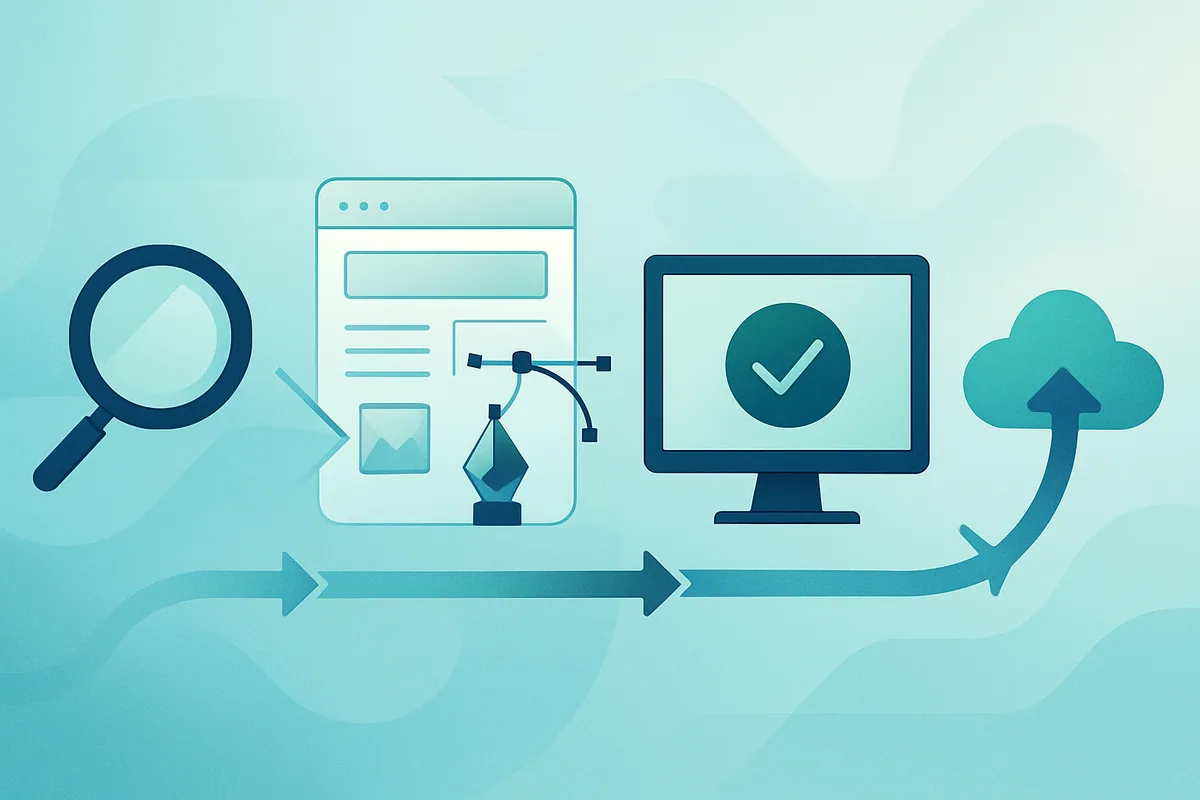
Most web applications don't fail because someone picked the wrong framework. They fail earlier, in the fuzzy space where nobody wrote down what the thing was supposed to do, or later, when a working app slowly rots because no one owns it. This guide walks the process of developing web applications end to end: discovery, design, build, testing, deployment, and the long maintenance tail. The frame throughout is Agile iteration and shipping in small increments, because that's how real teams reduce risk. We'll stay concrete about the deliverables at each phase and honest about where projects tend to break.
Key takeaways:
- Web application development runs through six overlapping phases: discovery, design, build, testing, deployment, and maintenance. Treat them as a loop rather than a straight line.
- Shipping in small increments beats big-bang releases. Smaller changes are easier to test, review, and roll back if something breaks.
- Automated testing and CI/CD are core practices. Google's DORA research links continuous delivery to better software delivery and operational performance (dora.dev).
- Agile is iterative work in short cycles with frequent feedback, per Atlassian's Agile guidance (atlassian.com/agile).
- Maintenance is ongoing engineering work. Budget for it before launch, while you still can.
Discovery and Requirements: Deciding What to Build
Discovery is where you figure out what problem the application solves, for whom, and what "done" looks like. The output is a shared, written understanding: user stories, rough scope, priorities, and the constraints you're working inside. Skip this and you'll build the wrong thing efficiently. Good discovery is mostly asking uncomfortable questions early and writing the answers where the whole team can see them.
The trap here is over-planning. You don't need a 60-page spec before writing a line of code, just enough clarity to start on the highest-value slice and a way to keep refining as you learn. Agile teams handle this with a backlog: a prioritized, living list of work that changes as reality does. Atlassian describes Agile as an iterative approach built around continuous feedback rather than fixed, up-front plans (atlassian.com/agile).
A few things worth pinning down before design starts:
- Who the primary users are, and the one or two jobs they need to get done.
- The riskiest assumption in the whole idea, so you can test it first.
- Non-functional needs: expected load, security and compliance constraints, accessibility, budget.
- What you are explicitly not building in version one.
That last bullet saves more projects than any tool. Scope you name is scope you can defend later.
Design: UX, Architecture, and the Data Model
Design covers two parallel tracks. Product design shapes what users see and do: flows, wireframes, and the interface itself. Technical design shapes how the system holds together: architecture, the data model, APIs, and the third-party services you'll lean on. Both should stay lightweight enough to change, because they will.
On the UX side, start with flows before pixels. A clickable wireframe answers "does this make sense?" far cheaper than a fully built feature does. On the architecture side, the big early decisions are the ones painful to reverse: your data model, how the frontend and backend talk, and where state lives. Get the data model roughly right and a lot of later problems get easier. Get it wrong and you'll pay interest on it for years.
Two honest notes. First, resist premature scale. Designing for a million users you don't have yet usually just slows down getting the first thousand. Second, write down your architectural decisions and the reasoning behind them. Six months later, someone will ask why the app works this way, and a one-paragraph record beats a guess.
Build: Shipping in Small Increments
The build phase is where the application takes shape, and the single most useful discipline is keeping changes small. A small, well-scoped change is easy to review, test, and undo. A giant one is a bet you can't take back cheaply. This is the heart of iterative delivery: work in short cycles, integrate often, and get each increment in front of real feedback fast.
Frontend and backend work usually proceed together. The frontend runs in the browser: the interface, the client-side logic, the calls out to your services. The backend is the server side: business logic, authentication, and the database. A clean contract between them, usually an API, lets the two move somewhat independently without stepping on each other.
We've found that teams who ship reliably treat "merge to main" as a frequent, low-drama event rather than a quarterly ordeal. Small batches, integrated continuously, are also what DORA's research associates with stronger delivery performance (dora.dev). If integrating your work feels scary, that's usually a signal the batches are too big or the tests too thin.
Here's how the phases line up with what each one actually produces:
| Phase | Main question | What it delivers |
|---|---|---|
| Discovery | What are we building, and why? | Prioritized backlog, scope, success criteria |
| Design | How will it look and hold together? | Wireframes, architecture, data model, API contracts |
| Build | Does the increment work? | Working, reviewed features behind version control |
| Testing | Can we trust it? | Automated test suite, passing quality gates |
| Deployment | Can users reach it safely? | CI/CD pipeline, releases to staging and production |
| Maintenance | Does it keep working? | Patches, monitoring, performance and security upkeep |
Testing: Confidence Before You Deploy
Testing exists to answer one question: can we ship this change without breaking what already worked? The practical approach is a mix of automated tests run on every commit. Unit tests cover individual pieces, integration tests cover how pieces work together, and a handful of end-to-end tests cover the critical user journeys. You don't need 100% coverage. You need coverage where a failure would actually hurt.
Automation matters for speed and trust. Manual testing doesn't scale to frequent releases, and humans skip steps when they're bored. A suite that runs automatically catches regressions the moment they appear, while the change is still fresh in someone's head.
What to test, and how much
Weight your effort toward the tests that catch real problems cheaply.
| Test type | What it checks | Rough share of effort |
|---|---|---|
| Unit tests | One function or component in isolation | The bulk of the suite |
| Integration tests | Modules and services working together | A solid middle layer |
| End-to-end tests | Full user journeys through the running app | A focused few on critical paths |
| Security and accessibility checks | Common vulnerabilities, usability for all users | Automated where possible, reviewed regularly |
Chasing a coverage percentage for its own sake is a common way to waste time. A test that never fails and guards nothing important is just maintenance overhead. Aim for tests that would genuinely block a bad deploy. Our software testing services exist for exactly the cases where getting this balance right is hard.
Deployment: CI/CD and Getting to Production
Deployment gets a tested change safely in front of users, ideally without anyone holding their breath. CI/CD is the machinery for that. Continuous integration builds and tests every change automatically. Continuous delivery keeps the app in a releasable state and pushes it through environments, typically staging first, then production, once the gates pass. Done well, a release becomes routine instead of an event.
The payoff is concrete. Google's DORA program, which studies software delivery across thousands of organizations, ties continuous delivery practices to improvements in both software delivery and operational performance (dora.dev). The mechanism is simple: smaller, automated, frequent releases fail less often and recover faster when they do fail.
A workable pipeline usually includes:
- An automated build triggered on every commit to the main branch.
- The full test suite as a required gate, plus security scanning.
- Automatic deploy to a staging environment that mirrors production closely.
- A controlled promotion to production, with the ability to roll back fast.
Rollback deserves emphasis. The goal isn't zero failures, which is a fantasy. The goal is that when something goes wrong, you can undo it in minutes. Building and running that pipeline is core DevOps work, often the highest-leverage investment a growing product can make.
Maintenance: The Part Nobody Budgets For
Launch is the middle of the story rather than the end. A live web application needs dependency updates, security patches, performance tuning, bug fixes, and monitoring so you learn about problems before your users tweet about them. Maintenance is ongoing engineering, and treating it as an afterthought is how a healthy app quietly decays into a liability.
Software rots if left alone. Libraries get security advisories. Traffic patterns shift. A query that was fast at ten thousand rows crawls at ten million. Monitoring and observability turn these from surprises into scheduled work. The teams who sleep well watch error rates and latency continuously and treat a rising graph as a task before it becomes an emergency.
Budget for maintenance up front. A common planning mistake is spending the entire budget reaching launch and leaving nothing for the year that follows, which is when the app either grows up or falls over.
Where Web Application Projects Actually Go Wrong
After enough projects, the failure patterns rhyme. They're rarely exotic, just the same handful of avoidable mistakes, repeated. Naming them is the cheapest insurance you can buy.
- Vague requirements. Building starts before anyone agrees what "done" means, so the target moves forever.
- Big-bang releases. Months of work land in one enormous merge, and every bug hides inside a change too large to reason about.
- Testing treated as optional. Skipped to hit a deadline, then every deploy becomes a gamble and confidence erodes.
- No CI/CD. Manual, fragile releases that only one nervous person knows how to run.
- Ignoring maintenance. The budget ends at launch, the app ages badly, and the "quick" rescue costs more than doing it right would have.
- Premature scaling. Enormous effort spent on load the product may never see, at the expense of shipping something people actually use.
None of these require genius to avoid. They require discipline and someone willing to say no to scope at the right moments. If you want a partner who's seen these movies before, our web application development practice is built around avoiding exactly this list.
Frequently asked questions
It depends heavily on scope. A focused minimum viable product with a handful of core features can reach a usable state in a few weeks to a few months, while a complex platform with many integrations, user roles, and compliance needs runs considerably longer. The more reliable approach is iterative: ship a small, valuable slice first, then expand based on real user feedback rather than committing to one big estimate up front. Atlassian's Agile guidance favors this short-cycle, feedback-driven cadence over fixed long-range plans ([atlassian.com/agile](https://www.atlassian.com/agile)).
There is no universal price, so estimate by the variables that actually move it rather than a single number. The biggest cost drivers are scope (how many features and user roles), integration count (payments, auth, third-party APIs), data and compliance requirements, design complexity, and the seniority and location of the team. A lean MVP with a narrow feature set costs a fraction of a multi-role platform with regulatory constraints. The most accurate estimate comes from pricing a specific, prioritized backlog rather than a vague brief, which is why we scope the first valuable increment before quoting the whole roadmap.
Look past a portfolio of screenshots and evaluate how a partner works. Ask how they handle discovery and requirements, whether they ship in small increments, what their testing and CI/CD practices are, and how they handle maintenance after launch, since delivery discipline predicts outcomes more than any framework choice. The Standish Group's long-running CHAOS research repeatedly ranks incomplete requirements and weak user involvement among the top reasons software projects get into trouble ([Standish CHAOS Report](https://personal.utdallas.edu/~chung/SYSM6309/chaos_report.pdf)), so a partner who insists on writing down scope and keeping you in the loop is lowering your risk. Clarify code and IP ownership per engagement, and confirm you get repeatable releases, not a black box only they can run.
The frontend is everything that runs in the user's browser: the interface, the layout, and the client-side logic that responds to input. The backend is the server side the user never sees directly: business logic, authentication, and the database where data lives. They usually communicate through an API, a defined contract that lets each side evolve somewhat independently. Most web applications need both, and a clean boundary between them keeps the system easier to change over time.
Even small projects benefit, because the cost of a basic pipeline is low and the payoff is immediate. Automating your build, tests, and deployment removes the manual steps where mistakes creep in and makes releases repeatable instead of dependent on one person's memory. Google's DORA research links continuous delivery practices to stronger delivery and operational outcomes across organizations of many sizes ([dora.dev](https://dora.dev/capabilities/continuous-delivery/)). Start simple: build and test on every commit, deploy to staging automatically, and grow from there.
Enough to deploy changes with confidence, which is usually less about a coverage percentage and more about covering what matters. Prioritize unit tests for core logic, integration tests where components meet, and a focused set of end-to-end tests on critical journeys such as sign-up, login, and checkout. Chasing a high coverage number for its own sake wastes effort on tests that guard nothing important. The practical target is a suite that would actually block a bad deploy, run automatically on every commit.
An MVP, or minimum viable product, is the smallest version of your application that delivers real value and lets you learn from actual users. For most new products, starting with one is wise because it gets you feedback before you've spent the whole budget, and feedback is what tells you which assumptions were wrong. The MVP is the first honest increment of the real product, built to be extended, rather than a throwaway prototype. This fits the Agile pattern of shipping small and iterating ([atlassian.com/agile](https://www.atlassian.com/agile)).
Most stall on process, not technology. The recurring culprits are vague requirements that let the target drift, big-bang releases that bury bugs inside changes too large to reason about, testing treated as optional, no repeatable deployment, and premature scaling for load the product may never see. The Standish Group's CHAOS research consistently names incomplete requirements and weak user involvement among the leading causes of troubled software projects ([Standish CHAOS Report](https://personal.utdallas.edu/~chung/SYSM6309/chaos_report.pdf)). The fix is discipline: write down scope, ship in small increments, keep real users in the loop, and treat testing and CI/CD as core rather than optional.
Plan for maintenance as an ongoing line item rather than a one-time cost, because a live application needs security patches, dependency updates, bug fixes, performance work, and monitoring for as long as it's in use. Exact figures vary with complexity and traffic, so we avoid quoting a universal percentage. Reserve budget before launch rather than after something breaks, and treat monitoring and updates as scheduled engineering work. Applications that skip maintenance tend to accumulate security and performance debt that costs far more to fix later.
Further Reading
- Atlassian: Agile project management guide
- Google DORA: 2024 State of DevOps report
- DORA: Continuous delivery capability
Ready to Build Your Web Application?
Whether you're at the discovery stage or trying to fix a build that's already wobbling, we can help. Talk to Silicon Prime about designing, building, testing, and running your web application the way it should be done.
Comments