

Most small businesses in Los Angeles are exploring AI integration to enhance efficiency without disrupting workflows or compromising data. This blog post delves into practical AI applications, the challenges of AI hype, and strategies for successful AI integration in small businesses.
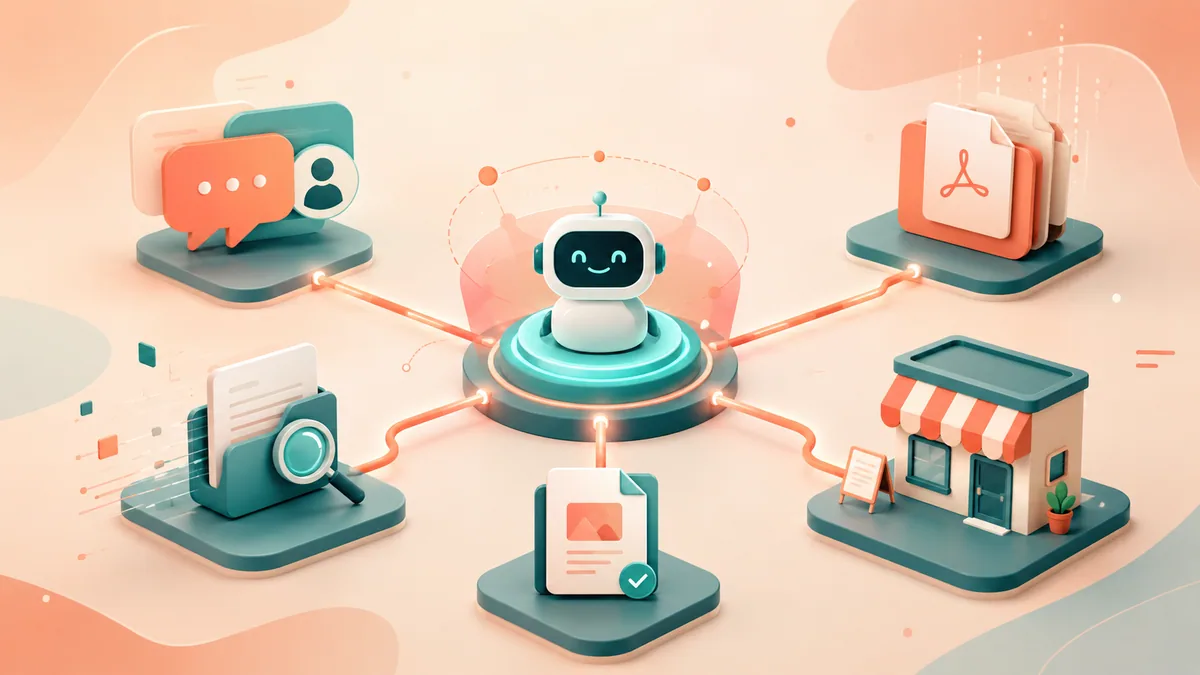
Navigating the AI Hype as a Los Angeles Business Owner
You see the same scene play out all over the city. A Santa Monica retailer wants replies to go out faster. A clinic group in the Valley is tired of staff hunting through the same PDFs for answers they already gave yesterday. A downtown B2B firm wants proposals out the door sooner without another coordinator on payroll. And the vendor pitch never changes. Add AI, everything speeds up.
Then the owner has to actually decide something, and the pitch runs out of answers. Faster at which step, wired into which system? Who reads the output before it goes out? What leaves the building along with it? And when an employee asks the assistant a question it has no business answering, what does it say back? None of these are corner cases you can skip past. They are the actual dividing line between buying an AI tool and buying AI integration services.
What hype sounds like versus what implementation looks like
The hype is about the model. Real integration is about the workflow. Those are two different conversations, and vendors love to have only the first one.
The shallow version gives itself away fast. Someone buys a chatbot before a single process has been mapped, before anyone has cleaned up the content it will answer from, before there is an owner. The plan is to automate support and sales and reporting and internal search and marketing, all in one go. And it takes for granted that staff will just work it out, so there is no training, no escalation path, and no list of things the tool simply isn't allowed to do.
The version that holds up is narrower from the start:
- Pick one high-friction task. Repetitive, expensive in staff hours, and easy to measure.
- Connect to existing systems. CRM, helpdesk, order data, knowledge base, document storage.
- Set controls before launch. Permissions, logging, a review process, and a clear list of what the assistant can't do.
That gap matters more in Los Angeles than owners expect. The market rewards speed and punishes operational sloppiness in roughly equal measure. Most teams here run on a patched-together stack, some mix of Microsoft 365, Shopify, HubSpot, QuickBooks, Google Workspace, SharePoint, Zendesk, and Airtable. AI only earns its keep when it fits that stack instead of fighting it.
Governance belongs in the first conversation, not the legal cleanup later. That's why business owners who are evaluating AI seriously should think in terms of responsible AI operating practices, not novelty demos. Done well, AI integration services for small businesses in Los Angeles improve throughput without creating new risk. Done poorly, they become another fragile layer your team works around.
Frequently asked questions
Most failures trace back to the same handful of moves: buying a tool before mapping the process it should serve, trying to automate the whole company in one rollout, and handing staff something with no training or escalation path. Governance and process integration decide whether a project sticks far more than the model does. It shows up in the data — [S&P Global Market Intelligence (2025)](https://www.spglobal.com/market-intelligence/en/news-insights/research/2025/10/generative-ai-shows-rapid-growth-but-yields-mixed-results) found the average organization scraps 46% of its AI proof-of-concept projects before they ever reach production.
There is no flat price, because cost tracks scope, not a package. Four variables move the number: how many systems you connect (one helpdesk versus a full CRM-plus-ERP stack), how much source content must be cleaned before the assistant can answer from it, how strict your governance and compliance needs are, and whether you buy a one-time pilot build or an ongoing retainer. A narrow, single-workflow pilot costs a fraction of a multi-department rollout. Ask any Los Angeles provider to price the specific workflow in front of them, not a generic tier.
Timelines track scope. A tightly scoped pilot — one workflow, one department, one review path — reaches a working deployment far faster than a company-wide program, because there is less to integrate and less to govern. Return depends on the workflow you pick: high-volume, repetitive tasks like support triage or internal lookup surface measurable time savings soonest, while judgment-heavy or cross-department work takes longer to pay off. Define the metric before launch — staff hours recovered, response time, correction rate — so ROI is something you measure, not something you hope for.
Because the pilot proves a demo, not an operating workflow. [S&P Global Market Intelligence (2025)](https://www.spglobal.com/market-intelligence/en/news-insights/research/2025/10/generative-ai-shows-rapid-growth-but-yields-mixed-results) found that 42% of organizations now abandon most of their AI initiatives before production, up from 17% a year earlier. The projects that survive share a pattern: one narrow use case, connection to systems the business already runs, and controls — permissions, logging, escalation, and a clear list of what the assistant can't do — set before anything reaches a customer.
Three areas do most of the early work: customer service handling routine first-line questions from vetted content, marketing preparing audiences and drafting first-pass copy under human approval, and operations taking on narrow automation such as document triage and internal knowledge lookup. These are the clearest first returns for AI integration services for a small business in Los Angeles. Demand is real, too — [the U.S. Chamber of Commerce (2025)](https://www.uschamber.com/technology/artificial-intelligence/u-s-chambers-latest-empowering-small-business-report-shows-majority-of-businesses-in-all-50-states-are-embracing-ai) reports 58% of small businesses now use generative AI, up from 40% in 2024.
Push past the demo and ask about the parts that actually decide success. On data: role-based permissions, API-scoped access, encryption, logging, and document-level authorization — not a vague "it's secure." On failure: what the system does when it's wrong or unsure, and whether human review and escalation were designed in. On adoption: how they train staff by role and monitor quality once it's live. And ask how they'll hold scope to one use case before expanding, because a partner eager to widen the engagement before proving anything is a partner to slow down.
Flip the good signs and you get the warnings: promises of fast, sweeping automation across the whole company, no serious plan to integrate the systems you already run, nothing concrete on training or support, and a pitch that's really about moving a product rather than fitting it to how you work. A partner who dodges ROI and measurement questions, or can't explain exactly where your data goes and who can see it, is telling you how the project will end.
Data security is decided by scoping and controls set before launch, not bolted on afterward. Give the assistant least-privilege, document-level access to only the sources a workflow needs — not every database in the company. Keep customer-facing answers inside approved content, log what the system does, and route anything sensitive or uncertain to a human. Role-based permissions, encryption, and audit logging should be defined up front, and they matter most in regulated or client-data-heavy environments where a wrong answer carries real risk.
Pick one task that eats staff hours and is easy to measure, wire it only into the systems that workflow actually needs — helpdesk, CRM, a knowledge source — and lock the controls down before anything reaches a customer. Run it as a pilot in a single department, measure the result in business terms, then widen the remit once the workflow and the guardrails both hold. Starting narrow keeps spending under control and cuts the odds of buying software your staff quietly avoids.
Further Reading
- State of AI in Small Business 2026 | Industry Report | Upcode Studios
- KPMG Survey: Optimism Meets Execution as LA Business Leaders Scale AI and Position their Companies for 2026 Growth
Why AI Integration Is No Longer Optional for SMBs
The experimentation phase is over for small businesses. AI is settling in as ordinary operating infrastructure. Industry reports now put a large share of small firms well into daily use, leaning on it mostly for automation and for research and analysis.
The real pressure isn't technology pressure
Owners tend to describe the pressure as a need to "use AI." That framing is slightly off. The real pressure is to run more consistently with the same or a smaller team. In practice that need lands on three business problems.
| Business pressure | What owners usually need | What integration actually involves |
|---|---|---|
| Slow customer response | Faster first-line handling | Helpdesk, CRM, routing, escalation rules |
| Too much admin work | Reduced repetitive effort | Workflow automation, approvals, data sync |
| Fragmented information | Quicker decisions | Internal search, retrieval, permission controls |
The goal was never to replace people. It's to pull them off repetitive lookup, repetitive replies, and repetitive formatting.
Practical AI Use Cases to Drive Growth and Efficiency
The quickest way to burn money here is to hand the whole company a vague mandate. Tell people to "use AI in the business" and what you get back is scattered experiments, three tools doing the same job, and a running argument over who owns what. The use cases that actually pay are the ones bolted to a specific pain you can already feel.

Customer service is the easiest place to start
Support is usually the cleanest first use case because the requests repeat. Before integration, staff answer the same handful of questions all day, order status, appointment logistics, return policy, pricing basics. One person answers thoroughly, the next is rushed, so quality drifts. Managers get pulled in as escalations for questions that were never complicated, and their time drains into work the system should have handled.
Integration changes the shape of the day. The assistant takes the routine first-line requests and draws its answers from a knowledge base someone actually vetted. When a question is genuinely hard, it lands on a staff member who already has the context in hand, the customer's issue, the thread that came before, a suggested next move. What's left for the team is the messy stuff: the returns with strange edge cases, the complaints that need care, the situations tied to one specific account. Plenty of teams begin here for exactly that reason, then widen out later. And if throughput is what you're after rather than a demo to show off, this is where the improvement usually surfaces first.
Marketing works best when AI supports judgment
Marketing is usually the second place SMBs look. It earns its keep when a person stays in the loop and falls apart when it's left running on its own. The implementations worth doing stay narrow. On audience preparation, that means cleaning contact lists, sorting customers by how they behave, and getting campaign inputs into shape. On content, it means first drafts, the email sequences, product descriptions, ad variations, landing page copy. On performance, it means summarizing what a campaign did and flagging the odd result for a human to look at.
The thing that breaks is letting AI publish with no approval gate. Brand voice wanders. Compliance language quietly drops out. Offers stop lining up with each other. In a regulated sector, that shades into real risk in a hurry.
Operations benefit from narrow automation first
Operations teams tend to lunge straight at forecasting, scheduling, or automation that spans several systems. For a first move, that's too much. Better to start small. Begin with document and inbox triage, routing what comes in, sorting it, assigning the next action. Add internal knowledge retrieval next, so staff can search policies, procedures, product details, and prior answers across sources that have been approved. Then layer in data handoff, moving approved fields between systems so nobody is retyping the same information twice.
For AI integration services in Los Angeles, that trio is the center of gravity. Customer support, marketing operations, and internal workflow automation are where small businesses tend to see the clearest first returns.
Your Four-Phase Roadmap from Pilot Project to Full Integration
Most small businesses don't fail with AI because the technology is weak. They fail because the rollout is too broad, too vague, or too far from the actual day-to-day work.
Local pricing reflects that the depth of the implementation is what costs money. Small-business consulting can start around $5,000 per month. AI implementation pilots can begin around $20,000 and climb well past that for broader deployments, depending on how much has to be integrated.
Phase one and two
Phase 1 is discovery and scoping. The job here is to choose one workflow with real friction and a name attached to it. What makes a good candidate is volume that repeats, inputs you already know, and a cost you can point to in either time or delay. What makes a bad one is judgment that stays messy, exceptions nobody wrote down, and two or three departments still arguing over the rules. The table below sorts a few common workflows onto the right side of that line.
| Workflow candidate | Good first pilot | Weak first pilot |
|---|---|---|
| Support FAQ handling | Yes | |
| Internal policy lookup | Yes | |
| Cross-department forecasting | Yes | |
| Fully autonomous outbound sales | Yes |
Phase 2 is pilot deployment. Keep the footprint tight. One department, one use case, one path for review. Wire in only the systems that particular workflow depends on. A support assistant, for instance, might reach a helpdesk, a product policy source, and a slice of CRM context, and nothing else. It has no reason to touch every database in the company.
Phase three and four
Phase 3 is measurement and refinement. This is the step SMBs coast through. They flip it on, somebody mentions that "people like it," and that's treated as the verdict. It isn't. Look at the pilot in business terms, and ask the questions that actually tell you something: Where did staff genuinely get time back? Which responses had to be corrected? Which documents kept producing bad answers? And did people trust it enough to change the way they work?
Phase 4 is full integration and monitoring. Only scale once the pilot has proven the workflow holds and the controls hold with it. From there, widen out with some care, more systems, more roles, more departments, more reporting. Bake in monitoring as you expand, so stale content, weak retrieval, and broken automations show up early rather than rotting in silence.
The roadmap stays simple on purpose. Start narrow, prove value, tighten controls, expand. That sequence is how AI integration services for small businesses in Los Angeles avoid turning into expensive demos.
Anonymized Case Study An LA E-commerce Retailer's AI Success
One Los Angeles ecommerce retailer we worked with had the kind of operational problem that stays quiet until it compounds. Support staff burned large stretches of the day on order-status questions, return-policy questions, and "where is my package?" tickets. Off to the side, operations staff were reconciling inventory across a handful of systems and making calls on information that was never quite complete.
What went wrong before AI
Good people, a workflow built to work against them. Agents kept reopening the same order records hour after hour. Operations pulled up several sources just to confirm what was in stock and what had shipped. And every time a customer message slid from routine into something ambiguous, a manager had to step in. Two problems came out of that setup, dependably: replies ran late, and the answers didn't agree with each other.
The owner's gut reaction was to go buy a chatbot, and that would have been too thin a fix. "We need chat" wasn't really the problem. The problem was that they needed approved answers tied to live business context, with escalation rules sitting behind them.
What changed after integration
The team went the narrower route. In front of the routine order and policy questions they placed an AI-assisted support layer, backed by a knowledge base that had been reviewed and given only limited reach into the relevant order data. Alongside it they stood up AI support for internal inventory lookup and exception handling, which let staff clear routine stock questions faster.
The interface was never the point. The operating design was. Customer-facing answers stayed inside approved content. Order-related responses ran within defined boundaries. Exceptions escalated to a human on their own. Internal users got retrieval support instead of broad, unrestricted access.
And the lesson was plain enough. The win didn't come from adding AI. It came from dropping AI into one narrow workflow the business already understood, the pain, the content, the handoff rules all known going in. That's what made it usable, and what kept staff using it once the novelty had worn off.
How to Choose the Right AI Integration Partner in Los Angeles
Most small businesses don't need another vendor who can demo a polished interface. They need a partner who can connect AI to the systems they already run, set the guardrails, and get employees to actually adopt the workflow.
Questions that reveal real capability
Talk to providers, and ask the things that expose how they actually think. On data access, push for specifics: role-based permissions, API-scoped access, encryption, logging, document-level authorization, not just a reassurance that it's "secure." Ask what the system does when it's wrong or unsure, and listen for fallback paths, human review, and an escalation design that was thought through. Ask how they'll train staff by role, because owners, managers, frontline employees, and compliance stakeholders each need something different. Ask how they monitor quality once it's live, and make sure the answer reaches retrieval quality, workflow failures, and usage review, not only uptime. And ask how they'll hold the scope down in the first phase. A partner itching to expand before one use case has proven out is a partner to slow down.
A strong one can also explain how the work squares with practical risk frameworks. Public guidance has drifted steadily from "can we automate this?" toward "can we govern this safely?" So governance, review, and adoption planning deserve as much weight as the technical integration.
Red flags to take seriously
Some warning signs show up early if you know what to watch for.
| Red flag | Why it matters |
|---|---|
| They lead with the model, not the workflow | You may end up with a demo that doesn't fit operations |
| They promise broad automation immediately | Scope inflation raises cost and risk |
| They can't explain data boundaries | Sensitive information may be exposed |
| They ignore staff training | Usage drops after launch |
| They avoid ROI discussions | Accountability is weak |
Your First Steps Toward Strategic AI Integration
If you're evaluating AI integration services for a small business in Los Angeles, start by ignoring the broadest promises.
Pick one process that already causes friction. Support triage, internal knowledge lookup, a marketing production bottleneck, order or document handling. If your team can describe the pain clearly, you're far more likely to build something useful.
Then pressure-test the rollout against four questions:
- Is the workflow narrow enough for a pilot?
- Can we connect only the systems that use case requires?
- Do we know how people will review, override, or escalate the output?
- Have we defined the data boundaries before launch?
That keeps spending under control and cuts the odds of buying software your staff quietly avoids.
AI integration works best when it changes a real operating constraint. It doesn't have to look futuristic. It has to reduce repetitive work, improve consistency, and fit the way the business already runs. In regulated or sensitive environments, it needs governance from day one.
Small businesses don't need enterprise-scale complexity to get value out of this. They need clear scope, controls people can actually use, and a team that treats adoption as part of the project rather than an afterthought.
Ready to Build with AI?
Contact Silicon Prime — we help companies design and ship production-grade AI products.
Comments