

Most teams buy AI automation services hoping to erase a few repetitive tasks. The payoff shows up somewhere else. It shows up when the work itself gets rebuilt around decisions that land sooner, data that arrives clean, and a chain of custody someone can actually watch. Chasing headcount savings tends to produce brittle wins; going after the friction that piles up between departments tends to produce automation that survives its second year.
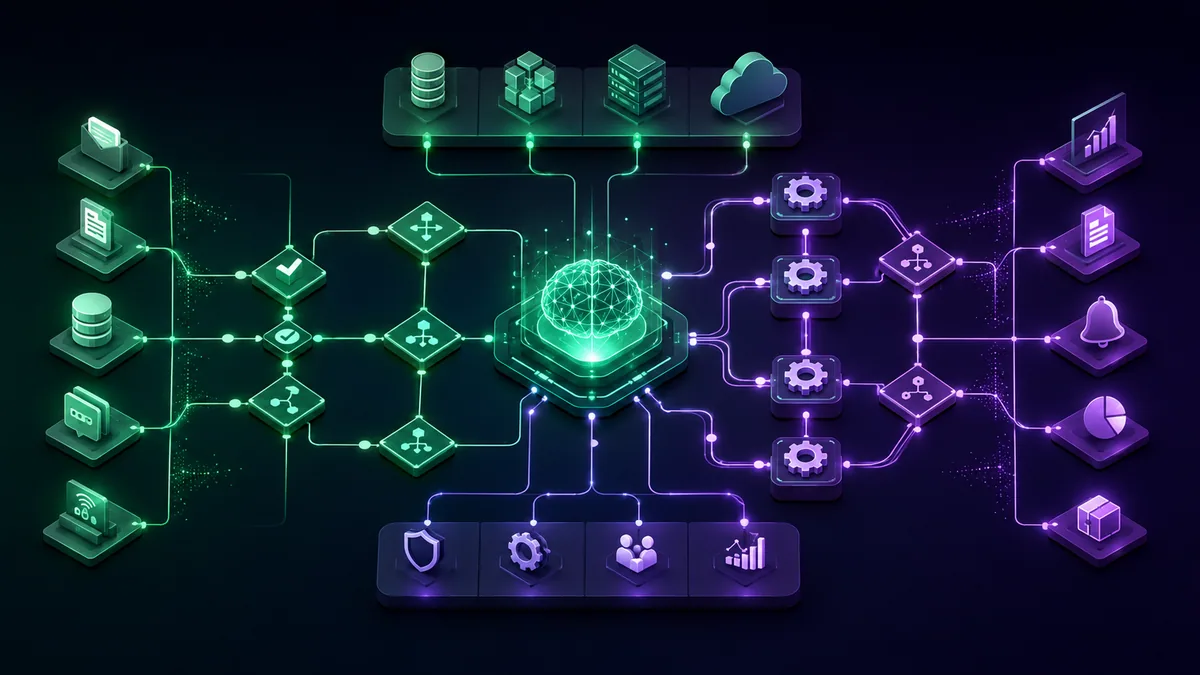
Introduction: The Real Conversation About AI Automation
AI automation services aren't valuable because they automate isolated tasks. They matter because they let companies redesign work around faster decisions, cleaner data flows, and tighter operational control. Cost reduction may be part of the result, but it shouldn't be the strategy.
In practice, the strongest programs don't start with "where can we cut heads?" They start with tougher questions. Where do teams keep re-reading the same documents? Where do service, finance, and operations depend on manual interpretation? Where do delays come from exceptions rather than volume? Those are better entry points because they target friction that compounds across functions.
AI automation works best when leaders treat it as an operating capability, not a plugin.
That shift in mindset changes what gets funded. Instead of buying one-off tools, companies build repeatable patterns for intake, decisioning, approval, monitoring, and recovery. This is the core discussion.
Redefining AI Automation Beyond Basic Bots
Traditional automation follows instructions. Modern AI automation interprets context. Similar tools like Blue Prism and Automation Anywhere also offer differing levels of cognitive capabilities that can complement AI-driven approaches.
A useful analogy is this: RPA is a rule-following intern, while AI automation is closer to an analyst who can read, classify, summarize, and decide within boundaries. The intern clicks the same buttons in the same order every time. The analyst can look at an email, a PDF, or a scanned image and understand what it likely means before taking the next step.
The Difference Between Scripted Execution and Cognitive Work
There is nothing wrong with rule-based automation, and plenty of shops lean on it every day. It earns its keep wherever the process holds still, the inputs arrive in a predictable shape, and surprises almost never happen. File transfers fit that mold. So do form routing, keeping two databases in sync, and the kind of approval step that either passes or fails inside SAP, Salesforce, Workday, or ServiceNow.
Plenty of enterprise work refuses to behave that way. It opens with something a machine can't parse on sight: a customer email written in a hurry, an invoice, a claim, a physician's note, a clause buried in a contract, a photo of a product, the transcript of a call. Somebody has to read that first and form a view before the next step even makes sense.
The cognitive layer is what handles that reading. Industry write-ups describe it as bolting NLP and computer vision onto the RPA foundation, which lets the system take in text, images, and audio, adjust as fresh data comes through, and choose its own next move within limits.
Where the Cognitive Layer Changes the Economics
What actually shifts here has little to do with the model sounding clever. The shift is one of reach. Suddenly you can automate the messy, high-variance workflows that were never worth scripting, because writing rules for every edge case would have cost more than the automation saved.
| Example | Basic Automation | Cognitive System |
|---|---|---|
| Email operations | Moves messages by keyword | Identifies intent, urgency, missing information, and likely next action |
| Document processing | Captures known fields from a standard form | Extracts data from mixed layouts, validates against business rules, escalates ambiguous cases |
| Healthcare and finance workflows | Passes records between systems | Reads supporting documentation, classifies exceptions, prepares a review package for a human approver |
The practical test is simple. If the process starts with interpretation, basic bots usually break.
None of this argues for cranking every workflow up to full autonomy. For a lot of enterprises the right setting sits lower, at something like constrained intelligence. You let the model do the reading work, so it classifies, pulls out fields, condenses, and suggests. Anything that can't be undone stays fenced off behind policies, confidence thresholds, and a person who signs off.
The True Business Value and Enterprise Use Cases
The business case for AI automation services gets stronger when leaders stop using generic words like efficiency and start asking where performance can be measured in a workflow.

Near the start of the process, you can improve intake quality. In the middle, you can reduce waiting time and exception handling. At the end, you can improve consistency, auditability, and handoff into downstream systems. Those are operational improvements executives can govern.
What Value Looks Like in Production
Where most vendor slides trade in vague upside, UiPath publishes numbers you can actually check against a workflow. The cases they point to run across email handled at high accuracy, approval rates for medical summaries the AI drafted, quality-control costs coming down on the factory floor, and document processing landing correct fields at a measurable rate.
| Function | Workflow Pattern | What Creates Value |
|---|---|---|
| Finance and shared services | Intake, extraction, validation, routing | Fewer manual touches, cleaner structured data, faster downstream processing |
| Healthcare operations | Summarization, coding support, review preparation | Better clinician time allocation, more consistent documentation, safer handoff |
| Manufacturing and quality | Image or signal interpretation tied to workflow actions | Lower inspection burden, faster remediation, more consistent quality checks |
If you're weighing enterprise workflow automation for your own operation, that grounded view of the work will tell you far more than any pitch about what AI might one day do.
Where Enterprises Usually See Returns First
Look at real deployments and the early wins cluster in one spot: the places where three things happen to be true at once.
- The process is frequent: Teams handle the task daily, so small improvements repeat quickly.
- The input is messy: Workers spend time reading, interpreting, or re-keying information from email, PDFs, chat, or images.
- The output is structured: The final result needs to land in a CRM, ERP, ticketing queue, case record, or analytics system.
Stack those three together and you can see why support desks, revenue operations, accounts-payable queues, claims teams, and paper-heavy back offices tend to be first out of the gate.
One project from our own client work makes the point better than any abstraction. The team ran enterprise operations, and the model doing the reading was never really the hard part. What moved the needle was fixing the seam where intake classification handed work over to the humans reviewing exceptions. The moment garbage inputs stopped flowing downstream, the operations staff started trusting the system, and once they trusted it they were happy to run more through it. Reliability came first, then adoption. The clever part came nowhere near the top of that list.
Designing Your Technical and Integration Blueprint
When an AI automation effort collapses, the model is rarely the culprit. What gives way is everything around it, thrown together on the fly. A model gets wired to an inbox, a prompt gets pasted in, and the assumption is that the enterprise architecture will fall into place on its own down the road. It doesn't.
The Core Architecture Leaders Should Expect
Build one of these to last and you'll typically find five layers holding it up.
- Intake layer
Work enters the system. Common sources include email, scanned documents, web forms, call transcripts, chat sessions, file drops, and API events. - Cognitive processing layer
Models perform extraction, classification, summarization, anomaly detection, or recommendation. Different tasks may use different models. One model may read a document, another may validate output against policy. - Workflow and decision layer
This is the business process engine. It decides what happens next. Route to an approver. Update a record. Trigger a case. Ask for missing information. Pause for review. - Integration layer
This connects the workflow to systems of record like SAP, Oracle, Salesforce, Workday, ServiceNow, Jira, or industry-specific platforms. - Governance and observability layer
This tracks who approved what, what the model produced, what changed, where failures occurred, and when a fallback rule should take over.
If a vendor can't explain these layers clearly, they're probably selling a demo, not an operating system for work.
Integration Choices That Create or Destroy Scale
More often than not, the decision that shapes everything is platform coherence versus point-tool flexibility.
Consolidate onto one platform and the orchestration burden drops, identity and audit get simpler, and support has fewer moving parts to chase. Assemble a best-of-breed stack and any single component might outperform, though the price is usually a governance story split across too many tools. Down that road, engineers spend their days chasing broken handoffs when they should be sharpening the business logic.
A handful of technical calls belong on the executive radar:
- API-first integration versus UI automation: API connections are usually easier to govern and scale. UI automation still matters when legacy systems don't expose clean interfaces.
- Centralized prompt and model management versus local experimentation: Centralization slows ad hoc innovation but improves consistency and reviewability.
- Embedded controls versus after-the-fact monitoring: Controls need to sit inside workflow design, not in a dashboard no one checks.
When your own engineering bench can't cover the build, AI development services can turn those abstract layers into an actual delivery plan, and so can platform vendors or systems integrators depending on the situation. Whoever you pick, hold the line on one thing: settle the architecture before you let anything expand.
Your Phased Implementation Roadmap From Pilot to Scale
Want to burn money on AI automation services in record time? Ride the executive excitement straight into a full rollout. Enterprises need to move in order, and the reason has nothing to do with fragile technology. Organizations are the fragile part.
Phase One and Two: Discovery Then Pilot
Discovery and strategy is about finding a few good use cases, not stacking up a long list of mediocre ones. The work is to hunt down the processes where messy inputs breed delay, rework, or inconsistent output. Nail down what winning looks like before a single line gets built, and that definition usually spans workflow accuracy, exception rate, how much review the thing demands, who owns the outcome, and what it has to integrate with.
From there you run a pilot, kept narrow but pointed at conditions that resemble the real thing. A deck full of screenshots is not a pilot. Feed it live data wherever governance lets you, put actual users in front of it, and go looking for the hard cases early: the incomplete input, the record that contradicts another record, the policy exception nobody planned for.
Through those opening phases, the teams that do it well share a few habits.
- They choose one business owner: Someone accountable for operational outcome, not just technical delivery.
- They document exception paths: Every automation needs rules for ambiguity, missing data, and failed actions.
- They measure trust signals: Are users correcting outputs constantly, or only occasionally? Do they understand when to intervene?
Phase Three and Four: Scale Then Optimize
Scaled deployment is the stretch where a lot of programs trip. A workflow that ran cleanly in one department can fall apart the moment the next team brings its own vocabulary, its own policies, its own approval chains, its own idea of what clean data means. Getting past that takes standardized workflow patterns, controls you can reuse instead of rebuild, and ownership lines nobody argues about.
Here is where leaders need to lock a few things down.
- A release process: Changes to prompts, policies, thresholds, and integrations should be reviewed like software changes.
- A support model: Someone needs to triage incidents, investigate errors, and maintain fallback procedures.
- A training plan: Users need role-specific guidance. Reviewers, approvers, managers, and engineers don't need the same instructions.
Treat continuous optimization as maintenance you can skip and you'll leave most of the value on the table. This is where value actually gets captured. What production teaches you should feed back into the prompts, the policies, the routing, the rules for when a human steps in. A few automations earn a wider mandate. Others get reined in once launch reveals a risk profile that design never surfaced.
Start with a process you can govern. Scale only after you've proven that the organization can own it.
Choosing Your Partner and Engagement Model
The partner decision matters because AI automation services are never just technical. The provider influences architecture, governance, internal capability, speed of rollout, and how much institutional knowledge stays inside your company after go-live.
What Each Engagement Model Is Actually Good At
Some organizations need strategic design and change leadership. Others need deep implementation support. Others already know what they want and just need extra delivery capacity.
| Model | Best For | Cost Structure | Knowledge Transfer | Risk |
|---|---|---|---|---|
| Large consultancy | Complex transformation programs, multi-function coordination, executive alignment | Usually broader program spend with strategy and delivery combined | Often mixed. Can be strong if contractually required | Risk of over-scoping and slow execution |
| Boutique specialist | Focused AI automation builds, domain-specific workflows, faster iteration | Usually narrower scope and more direct delivery pricing | Often higher because senior specialists stay close to the work | Risk if the firm is thinly staffed or too tool-specific |
| Platform vendor services | Fast implementation on the vendor's stack | Often tied to platform adoption and packaged services | Good on platform usage, weaker on broader operating model | Risk of solution bias toward the vendor ecosystem |
| Staff augmentation | Teams with a clear roadmap and strong internal leadership | Flexible spend tied to people rather than outcomes | High if internal managers actively absorb the work | Risk of fragmented ownership |
| Managed service | Organizations that want ongoing operations support after launch | Recurring service fee for monitoring, maintenance, and improvement | Lower unless transfer is built into the engagement | Risk of dependency if internal capability never matures |
Questions Procurement Teams Should Ask
A good vendor evaluation spends less energy on the demo and more on how the firm behaves once things get messy.
Put questions like these on the table.
- How do you handle post-launch incidents? If the answer is vague, governance probably isn't mature.
- What does model change control look like? Prompt updates, threshold changes, and workflow edits should all be versioned and reviewed.
- Who owns process logic after launch? Business teams need clarity here.
- How do you design fallback rules? Mature providers expect exceptions. They don't pretend the model will always know.
- What knowledge stays with us? This affects long-term cost and resilience.
Any partner can promise you speed. The one worth hiring will walk you through how the whole thing stays governable long after their people have moved on.
Governance, Security, and Change Management
I've seen a workflow look excellent in testing and then slowly degrade in production because nobody owned the behavior after launch.
There was one enterprise case, anonymized here, where a document-handling automation got the routing right nearly every time. Nothing blew up in an obvious way. What crept in instead was quiet misclassification on the odd edge case, plausible enough to slip past teams already stretched thin. Work kept flowing. No complaints reached anyone's desk, so managers read the silence as proof it was working. It wasn't. When reviewers finally pulled a systematic sample of the outputs, the gap between what policy intended and what the model was doing became obvious. Fixing it took more than a sharper prompt. It meant tightening permissions, redrawing how exceptions got routed, making audit checks mandatory, and putting names against a weekly review.
That pattern is why governance deserves top billing.
What Goes Wrong After Launch
There's a genuine blind spot in this market. Everyone talks about launching AI agents and assistant-style workflows; far fewer talk about keeping them reliable and governed once they're live.
The ways it breaks are nothing exotic.
- Access problems: The automation can see too much, or not enough, because permissions were copied from a human role without redesign.
- Exception blindness: Teams only monitor hard failures, not low-grade quality drift.
- Unclear accountability: IT owns the platform, the business owns the process, and nobody owns the combined outcome.
- Unsafe autonomy: Systems take actions that should have remained reversible or reviewable.
A Practical Control Model
Nobody in this seat needs a textbook framework. What leaders need are controls that hold up under the pressure of live operations.
Start from this baseline.
- Permission design first: Grant the minimum system access needed for the workflow to do its job. Don't inherit broad access by default.
- Audit trails by default: Log inputs, outputs, approvals, and workflow actions in a way investigators can practically use.
- Fallback paths: When confidence is low, data is incomplete, or system responses conflict, route to a human or to a safe holding state.
- Review sampling: Even when performance looks stable, inspect a recurring sample of outputs for quality and policy fit.
- Change control: Treat model, prompt, and policy updates like production changes. Review them, document them, and monitor after release.
If you're standing up formal guardrails, responsible AI practices belong inside the workflow lifecycle where operators actually run into them, rather than sitting in a policy PDF that gets read once and forgotten.
Good governance isn't friction added after innovation. It's the reason innovation survives contact with production.
Why Change Management Is Part of System Design
The people side gets shortchanged almost every time. Nobody digs in their heels because they're against efficiency. They push back when a system quietly hands them more work, blurs who's accountable, or leaves them holding the bag when the machine gets something wrong.
The rollouts that stick keep their message plain and their intentions clear.
- Tell teams what the system does and does not decide
- Redesign roles around exception handling, quality review, and judgment
- Train managers to read operational signals, not just dashboards
- Make escalation normal instead of treating it as failure
Skip that groundwork and what you get is adoption on paper only. The workflow runs, sure, but people quietly rig their own checks around the edges of it because deep down they don't believe it.
Conclusion: From Automated Tasks to an Automated Enterprise
AI automation services become strategic when companies stop treating them as disconnected tools and start treating them as part of enterprise operating design.
The durable gains don't come from a chatbot, a single model, or a clever pilot. They come from combining cognitive automation with workflow orchestration, integration discipline, measurable business use cases, and strong post-launch controls. That's how scattered experiments turn into a repeatable program.
Leaders should judge progress by different criteria than the market hype suggests. Not "did we launch something intelligent?" but "can this workflow run safely, predictably, and accountably at scale?" That question separates an impressive demo from an enterprise capability.
The end state isn't a company with more automated tasks. It's a company that handles work with better judgment, cleaner handoffs, faster response, and tighter governance. That's what an automated enterprise actually looks like.
Frequently Asked Questions
What Are AI Automation Services in Simple Terms
Picture ordinary workflow automation with a layer of AI stitched on top, the part that can read text, pull fields out of a document, boil long content down, sort things into categories, and weigh in on a decision. That addition is what lets a process cope with the unstructured stuff instead of choking on anything that doesn't match a fixed rule.
How Are AI Automation Services Different from Standard RPA
Standard RPA follows predefined steps well. AI automation adds a cognitive layer so workflows can process emails, documents, images, and other messy inputs before taking action.
What Is the Best First Use Case for an Enterprise
Start where teams repeatedly interpret unstructured information and then enter structured outcomes into business systems. Shared services, support operations, finance workflows, and document-heavy review processes are common starting points.
How Should Leaders Measure Success
Use workflow-level measures tied to the process itself: output quality, exception handling burden, review load, downstream data quality, process cycle reliability, and whether business teams trust the result enough to expand usage.
What Usually Causes Failure After Launch
Weak ownership, poor exception design, unmanaged model changes, loose permissions, and lack of ongoing quality review cause more trouble than the initial build.
Frequently asked questions
AI automation services combine traditional workflow automation with a cognitive layer, the AI that can read text, extract fields from documents, summarize, classify, and recommend a decision within set boundaries. That addition lets a process handle unstructured inputs like emails, invoices, and contracts instead of breaking on anything that does not match a fixed rule.
Standard RPA follows predefined steps and works well when inputs are structured and exceptions are rare. AI automation adds a cognitive layer, using NLP and computer vision so workflows can interpret emails, PDFs, images, and call transcripts before acting. In practice RPA behaves like a rule-following intern, while AI automation behaves like an analyst who reads, classifies, and decides within limits.
There is no flat price, because cost is driven by scope, not by the AI model. The variables that move the number are how many workflows you automate, how messy the inputs are, how many systems of record it integrates with (legacy ERP or CRM integration is usually the biggest amplifier), your compliance and audit requirements, and whether you buy build-only delivery or ongoing managed operations. A narrowly scoped pilot on one high-frequency workflow costs far less than a multi-function rollout, so the honest first step is to size a single process, not to ask for a blanket figure.
Timeline follows the same scope-based logic as cost. The fastest returns come from workflows that are frequent, have messy inputs, and produce a structured output, such as support intake, accounts-payable, or claims handling, where small per-transaction gains compound daily. A disciplined program runs discovery, then a narrow pilot against live data, then scaling only after the pilot proves accuracy and exception handling. Rushing straight from executive enthusiasm to full rollout is the most common way to delay ROI rather than accelerate it.
Most stall on organizational and governance gaps, not model quality. In S&P Global Market Intelligence's 2025 Voice of the Enterprise survey, the average organization scrapped [46% of its AI proof-of-concepts before production](https://www.spglobal.com/market-intelligence/en/news-insights/research/2025/10/generative-ai-shows-rapid-growth-but-yields-mixed-results), and the share of companies abandoning most AI initiatives jumped from 17% to 42% in a year. Gartner similarly predicts [over 40% of agentic AI projects will be canceled by the end of 2027](https://www.gartner.com/en/newsroom/press-releases/2025-06-25-gartner-predicts-over-40-percent-of-agentic-ai-projects-will-be-canceled-by-end-of-2027) on escalating costs and weak controls. The fixes are unglamorous: one accountable business owner, documented exception paths, and quality review after launch.
Start where three conditions overlap at once: the process runs frequently, the input is messy (people spend time reading or re-keying email, PDFs, chat, or images), and the output is structured (it has to land in a CRM, ERP, ticketing queue, or case record). That is why shared services, support operations, accounts-payable, claims teams, and document-heavy back offices usually see returns first. Reliability at that seam earns the trust that drives adoption.
Match the engagement model to your gap: large consultancies suit multi-function transformation, boutique specialists suit focused domain builds with senior people close to the work, platform vendors suit fast implementation on their stack, staff augmentation suits teams with a clear roadmap, and managed services suit ongoing post-launch operations. Push past the demo and ask how they handle post-launch incidents, what model and prompt change control looks like, who owns process logic after go-live, and what knowledge stays with your team.
Treat governance as part of the design, not an afterthought bolted on later. Start from least-privilege access instead of inheriting a human role's broad permissions, log every input, output, and approval so an investigator can actually follow it, and route low-confidence or incomplete cases to a human or a safe holding state. Sample outputs on a schedule even when performance looks stable, and version prompt, model, and policy changes like production code. Silent quality drift, not dramatic failure, is what usually erodes an unmonitored automation.
Measure at the workflow level, not the model level. Track output quality and accuracy, the exception rate and how much human review the process still needs, downstream data cleanliness, and process cycle reliability, then watch whether the business team trusts the results enough to expand usage. Rising trust and falling correction rates are the clearest signals that the automation is earning its place rather than quietly degrading.
Comments